There is no digital silver bullet. If the werewolf of graduate school is organizing your notes, writing, citations, and readings, there is scarcely a magical computer system that automatically does it all for you. Scholars should spend more time carefully thinking about the selection of their digital research tools: humanities researchers typically take a decade or more to work on a first book, so setting a good foundation, or creating a system that can be modified or retooled in the future is crucial.
Machines reconfigure work.[1] And yet, historians or other humanistic researchers rarely think about the way that our digital workflows—the tools that we use to do our work—enable or disenable the kinds of questions we pursue and the evidence that we marshal to answer them.
While it’s uncontroversial to say that computing technologies might make certain kinds of data analysis or statistical work more convenient, we rarely apply this question to scholars in the humanities. This essay suggests that reflecting on our digital tools—and making an effort to think about why we choose one over the other—might be useful for thinking about our own work more clearly.
Unlike researchers in lab-based sciences or workers in corporations that require everyone to be on the same page, scholars in the humanities have the benefit of designing their own workflows and processes. This provides an incredible opportunity to explore different styles of working and ways of writing. What follows is a set of principles for understanding how we might choose our digital tools, and a few suggestions for what graduate students and faculty might find useful. I don’t recommend specific software. There are many possible solutions. Instead, I suggest that a more thorough consideration of the relative openness and long-term utility of some tools might be useful for thinking about research in the long-term.
What kind of work?
Software is simulation. Digital tools simulate work that one would otherwise do with other machines or tools. Typewriting replaced and augmented manuscript production and printing, Microsoft Word (and before it, vi or TeachText) replaced the typing and typesetting technologies before it. While labor historians and historians of technology such as Joan Greenbaum have shown that many digital tools in fact reduce labor costs and segment work from the perspective of management—we don’t have “typists” anymore—the point is that we can begin our investigation by thinking about the kind of work that we do as scholars of the humanities. This then allows us to think about what kinds of tools and software we want to use.
Scholars in the humanities read books and articles, take notes, manage citations, and write. Historians (who I specifically address at the end of this piece) travel to archives, create digital reproductions of paper (or microfilm, or cassette, etc.) sources, and use them as documents in the research process. This means that, at the very least, scholars need a text editor (for writing and perhaps also for taking notes), a viewer for books and articles (usually in PDF format), and a citation manager. The way that these digital tools interoperate matters and can be useful for keeping track of notes. For example, a graduate student might use Microsoft Word for writing, Zotero for citation management, and some other system for organizing their notes and outlines.
Open standards matter
There is, however, a problem with the typical setup described above: two key pieces of software–Microsoft Word and Zotero–are relatively “closed.” Absent a front-end interface, one can’t actually “see” their citation database. Closed file formats—those that can’t be opened by multiple programs, or those that aren’t “human readable”—can present challenges. If Microsoft Word breaks or becomes less frequently used (as so many text editors have before), scholars in the humanities might have a difficult time accessing older files or opening them in a way that they can be read.
Open standards matter: they allow for flexibility on the part of the researcher. By “open” I mean that the format or file type that you write in should have a history of being supported by more than one corporation or firm, and, as a bonus, should be human-readable outside of any particular user interface. Open file formats, in this way, provide more longevity and security, ensuring that research isn’t lost or tied to a piece of paid software. For example, if EndNote or Zotero were incompatible with a new computing system, it would cause many academics considerable headaches (see, for instance, issues related to Zotero’s browser extension support).
Using an open standard for taking notes or managing citations is not the same thing as using “open-source” software. “Open-source” describes a commitment to sharing source code freely, allowing others to make use of or contribute to software projects. Open-source software, however, can use closed file formats, and paid software can use open or human-readable formats for storing data (such as Obsidian or Typora). Open formats matter most; they afford tool agnosticism and allow researchers to access their work across different platforms, machines, and operating systems. Scholars will use different software over the course of their digital careers: they may move from one note-taking software to another in the same way that someone changes computers or phones. The crucial point is that they are able to do this.
Lightweight markup systems such as Markdown are useful for this reason. Anyone can open a markdown file in any basic editor (even Mac’s barebones TextEdit) and easily read the contents, or they could use a featured editor such as Obsidian to view and modify texts.

An example of a Markdown document opened with a basic text editor. Notice that we can still read the document without using any special software.
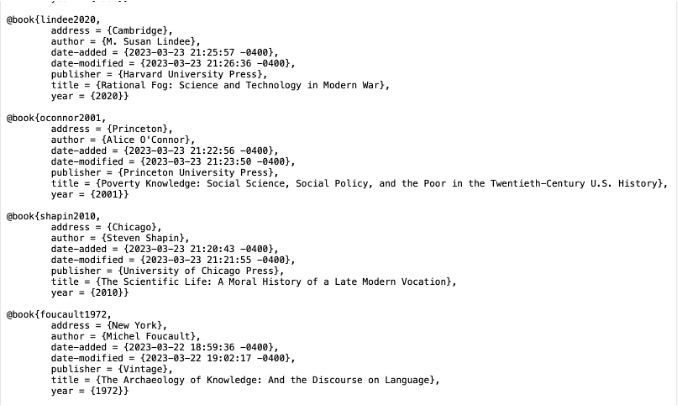
An example of BibTeX citations opened in a basic text editor. Again, we can read and edit this document without the help of a graphical front-end, such as Zotero (although there are many such solutions for editing BibTeX files).
This is also the reason that native file-level organization is useful. Zotero or EndNote, for instance, both organize their files (Zotero’s PDF library or EndNotes entire structure) in a way that is opaque to the user. If one tried to drill down into Zotero’s PDF library, they would find hundreds of files named things like “4KIIBYGU.” This leaves a bit to be desired in terms of understanding. Without the help of some additional software it would be hard to understand where our files are stored and why. Maintaining one’s own PDF library makes documents accessible on any device that can view files. It allows scholars to use our machines in a way that is human-understandable, without any specific program or interface, and prevent the loss of research.
Search & OCR
Search is a powerful and underutilized tool in humanities research. Rather than remembering where a specific reference was stored, one could search a mountain of books and archival documents for a set of keywords, phrases, or names related to a given topic. Many historians already use software such as DEVONthink to manage and search their archives. Beyond a simple “Control+F” to find a phrase in a given book or article, scholars in the humanities can take advantage of powerful OCR (optical character recognition) technologies to create searchable databases of their files and sources in order to confidently search a name across thousands of documents.
OCR helps to solve the problem of “information retrieval.” If a scholar has access to thousands of PDFs, the ability to search across them opens new possibilities in research. Most operating systems have built-in OCR capabilities, and software such as ABBYY FineReader is particularly accurate when dealing with type-set documents or pages where there are multiple text styles. This does, however, require processing PDFs to make them searchable. Digital reproductions of archival materials or poorly scanned books can be cleaned up with PDF editing software such as PDF Expert, so that text can be straightened and deskewed, contrast can be enhanced, and therefore OCR can be applied with fewer errors.
Archives
Archives present both challenges and possibilities. Historians are tasked with sorting through a wide array of documents related to their research and often overshoot how much they collect. In the past a scholar might have written a dissertation using a single archive and analyzed documents as they went. Today’s researchers take a more capacious approach: get in, see, and photograph as much as you can, and get out. Every additional day in an archive adds more cost. In order to write dissertations that take advantage of multiple archives, historians need to be efficient when moving through the mountains of primary source documents available to them. (Clio and the Contemporary has published helpful advice on visiting archives here.)
The abundance of sources presents a problem: how should one store and process so many scans? Besides thinking about processes for photographing and sorting digital reproductions of paper documents, it is important to be able to store references and search easily across mountains of documents. At the very least, this means adopting open standards and high-quality OCR tools to apply to archival documents. For instance, recreating physical archives digitally and creating PDFs that refer to real files enables the searching of high volumes of documents. It also supports relatively open standards for sorting and keeping track of archival scans.

An example of a digital reproduction of a physical archive. In my organization, I include box, folder, and folder name in the title of a PDF that includes all the scans from a given folder.
Instead of using a tool that creates some kind of proprietary and therefore closed “database” document (DEVONthink’s “databases” do this, as well as newer solutions such as Tropy) the principles outlined above suggest that researchers err on the side of open and human-readable organization tools in order to ensure the longevity of our research work, even if a particular software is no longer supported.
Applying these tips might involve getting to know your machine more, but engaging in that process can make one’s research workflow more complete and engaged. At the very least, using open standards and human-readable research organization (e.g. native file explorers, open citation standards such as BibTeX, and human-readable text formats such as Markdown) ensures the longevity of our research over time. Machines reconfigure work, and the same goes for scholars in the humanities, even if we don’t always acknowledge it.
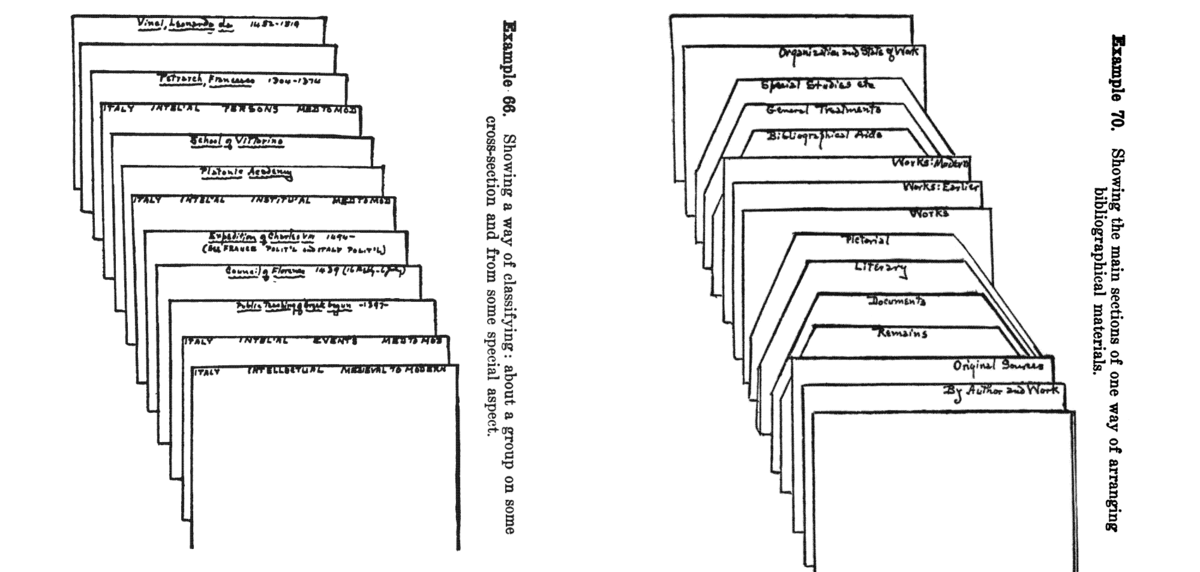
Featured Image: Earl W. Dow, Principles of a Note-system for Historical Studies, New York: The Century Company, 1924.
[1] Greenbaum, Joan. 2004. Windows on the Workplace: Technology, Jobs, and the Organization of Office Work. 2nd ed. Monthly Review Press.
 Clio and the Contemporary